POS Integration for Compliant ZATCA Invoices via InvoiceQ

Adapting to ZATCA’s regulation for E-invoicing Phase Two placed a need for businesses that rely on POS ( Point of Sale ) systems to ensure their issued invoices are compatible with ZATCA’s specifications for the E-invoice layout and structure for different types of invoices.
Addressing this high demand, InvoiceQ decided to come up with a robust solution that enables businesses to generate Phase Two compliant E-invoices for POS users in both modes; online and offline.
By embedding InvoiceQ’s POS integration solutions businesses can ensure streamlined operations for the Point of Sale systems and guarantee regulatory requirements are met without disrupting customer transactions.
POS Integration Types
To meet this significant need, InvoiceQ developed powerful solutions that include.
1. Embedded SDK (Kotlin – Android)
Overview
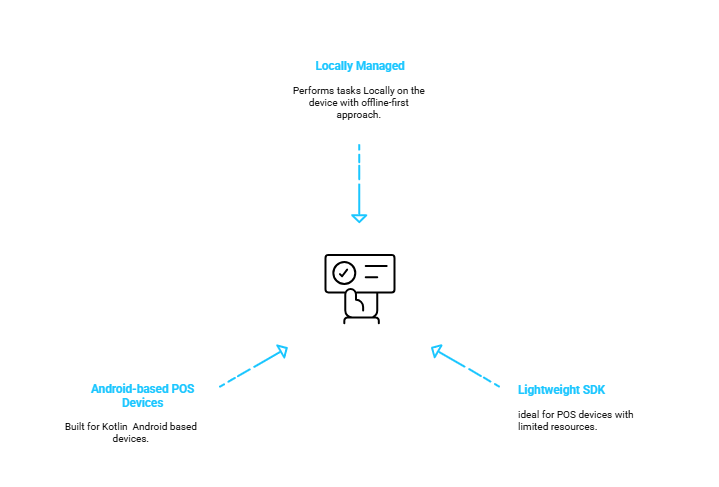
This POS integration solution that InvoiceQ provides relies on a lightweight software development kit (SDK) developed so that it can be embedded into Android-based POS devices. Thus, handling invoices locally in areas with poor or no internet connection.
Key Features
- Built for Kotlin – Android based devices.
- Lightweight Design; ideal for POS devices with limited resources.
- Performs tasks Locally on the POS device.
- Offline-first approach suitable for limited connectivity issues.
- Doesn’t require constant network access.
- Syncs seamlessly with InvoiceQ upon reconnection.
- Manages the whole cycle locally including invoice creation, QR code generation, XML signing, and PDF generation.
2. Offline Mode Via REST API (Local Servers)
Overview
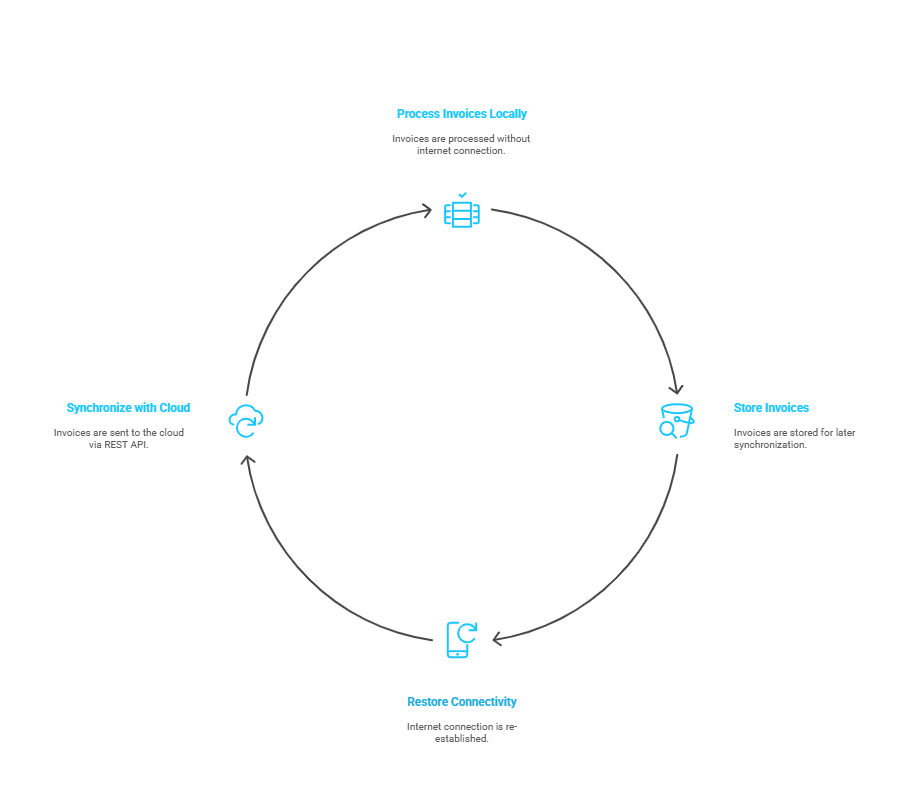
This POS integration method enables Point Of Sale systems to operate independently from the internet (offline) by utilizing a local processing engine. Instead of relying on a live connection to InvoiceQ, invoices can be processed locally then sent to the cloud asynchronously via REST API once connectivity is restored.
Key Features
- The POS device generates and signs E-invoices by utilizing a local engine that ensures ZATCA-compliant XML formatting.
- Offline Caching of the signed XML invoices.
- Invoices are pushed asynchronously via secure REST API to InvoiceQ.
- Ideal for remote branches, mobile vendors, and backup-mode operations.
3. Online Mode via InvoiceQ SaaS API
Overview
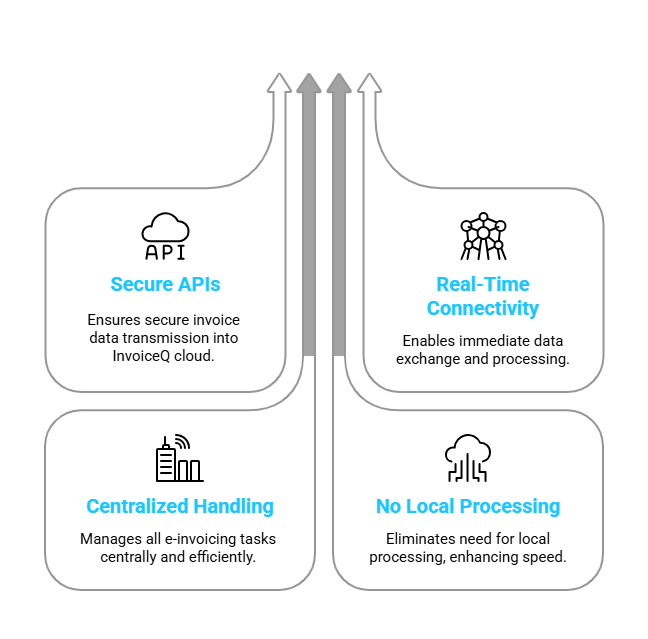
This integration model for POS devices connects them directly to the InvoiceQ cloud via secure APIs in real-time. All E-invoicing processes such as invoice generation, QR code validation, archiving, and compliance workflows are centrally handled. This architecture doesn’t rely on local processing, instead, it streamlines operations and accelerates deployment for always-connected environments.
Key Features
- Real-Time API communication between POS devices and InvoiceQ cloud APIs.
- Instant processing, validation, and archival of invoice data.
- Zero local footprint; everything is performed on cloud ensuring a fast-go-to-market
- Centralized compliance handling of workflows.
- Ideal usage for always-connected retail environments and enterprise setups.
4. Proxy-Based Integration
Overview
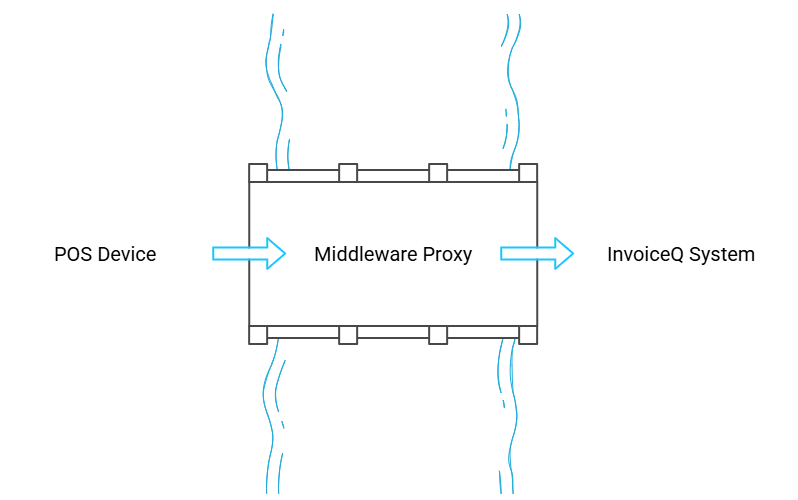
In this approach, a middleware or proxy gateway is used as an intermediate point between the POS device and InvoiceQ system. This intermediary layer standardizes and centralizes E-invoicing operations such as signing, validation, and compliance without enforcing core changes to each individual POS device. It’s an effective strategy for managing legacy systems and diverse device environments at scale.
Key Features
- Middleware layer that acts as a bridge between the POS network and InvoiceQ’s APIs.
- Centralized compliance enforcement for QR code generation, XML signing, and ZATCA validation without touching every terminal.
- Processes are performed at the proxy level, reducing the need for distributed updates.
- Standardized communication for heterogeneous POS devices.
- Ideal for legacy POS systems and high-volume retail chains with mixed device fleets.
Why Does it Matter?
- ZATCA Compliance: Each integration method is fully aligned with the regulatory requirements of ZATCA Phase Two legislations.
- Operational Flexibility: Retailers can select the POS integration solution that best suits their infrastructure, business model, and connectivity environment.
- Seamless Scalability: Solutions are designed to scale efficiently across multiple branches and device types, regardless of connectivity variations.
- Robust Security & Data Integrity: Ensures secure XML invoice signing, maintains invoice integrity, and supports full audit readiness.
- Unified Platform: All integration modes are unified within a single platform, enabling centralized monitoring, reporting, and compliance oversight.

Connecting POS And EGS Devices
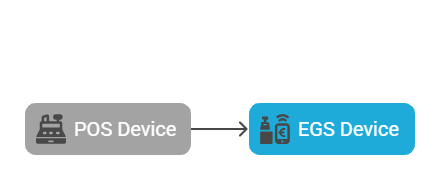
Phase Two also known as The Integration Phase requires that each E-invoice must have a sequential ICV, a cryptographic stamp, and a hash of the previous invoice to ensure a clear tracking of invoices. For this, the recommended best practice is to connect each POS device with its own EGS device.
Maintaining POS devices on a per-EGS basis ensures no sequencing conflicts occur. This 1 to 1 connection between both devices ensures full traceability and avoids gaps or overlaps in ICV sequences. This in turn simplifies audits as each POS data produces a clean, independent invoice trail.
Conclusion
InvoiceQ offers four flexible POS integration models to meet the diverse needs of business users and ensure full compliance with ZATCA mandates. This includes POS integration options dedicated to online, offline, and legacy devices providing all-rounded solutions that answer different business needs.